
How to transfer via FPS?
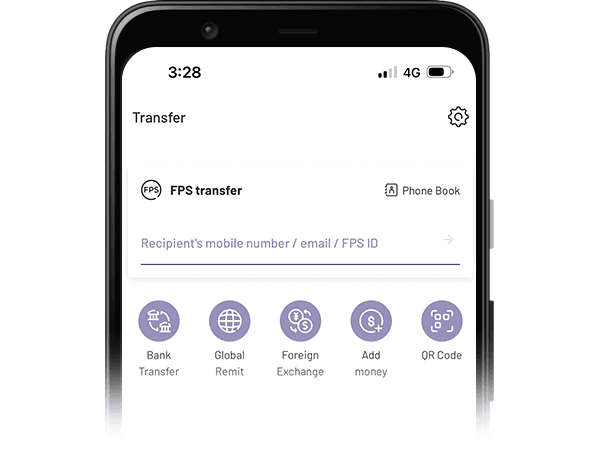
WeLab Bank app provides you with 4 ways to enter your recipient easily. Be it home allowances, meal splitting or rents, settle them right away!

Method 1 – Enter recipient’s FPS proxy ID
You can enter recipient’s mobile number, email address or FPS identifier registered with FPS directly.
Method 2 – Search for recipient from address book
You can directly look up your address book and select the recipient by providing access rights to the WeLab Bank app. Note that this is only applicable to contacts registered with FPS.


Method 3 – Enter recipient’s bank account number
You can make FPS transfer by selecting recipient’s bank, entering his/her account number and name.
Method 4 – Choose your payee
You can add a recipient as your payee when you send money, so that later you can select the payee directly and make payments more conveniently.


Method 5 – Scan FPS QR Code
Or you can simply scan a FPS QR Code provided by your payee
How to make a transfer?
Step 1: Choose your recipient
Enter your recipient based on the 4 methods above.
Step 2: Enter payment details
Enter transfer amount and message to recipient. If you are making transfer to recipient’s mobile number or email address, you can designate the recipient bank (only with bank accounts linked with FPS).
Step 3: Pass through authentication
You will be asked to pass through additional identity authentication if you are making transfers of more than HKD 10,000 or to non-added payees.
Step 4: Send money successfully
You will receive a SMS or email notification for successful FPS transactions!

Get started!
Download our app and experience banking built for our century.