
Top up your account more easily than ever
With Electronic Direct Debit Authorisation (eDDA), an additional service from FPS, you can link your designated bank account in our App and top up your WeLab Bank account directly. No need to switch between different bank apps — one WeLab Bank App does it all. Simply link your account from another bank once, and you can top up your account in the WeLab Bank App anytime. Funds will be credited within 10 minutes*! Free, fast and convenient.
*The actual time required for account linkage and transfer depends on the payer bank’s handling.
Automatic & Intelligent
Save your brain power from memorizing routine transfers! Now you can schedule upcoming dates to top up your account with our Auto Reload feature so that you are always prepared for upcoming transactions.
We always strive to make your banking experience intelligent, that’s why we provide a rule that reloads your account when the balance drops. Now, whenever you spend with WeLab Global Wallet Debit Card, we help you to auto reload* and prepare for your next purchase!
*When the Core Account balance drops below the preset amount


Customized just for you
Choose to eDDA top up at various intervals (Daily, Weekly, Bi-weekly or Monthly), or when account balance is lower than a preset amount. You can customize an Auto Reload rule that truly fits your financial needs and habits.
While we don’t provide payroll account just yet, you may set up a monthly Auto Reload rule to bring your money in conveniently, so you can enjoy our wide array of banking services.
Or, top up your account to avoid getting your WeLab Global Wallet Debit Card transactions rejected at the shop counter! (Noticed the long queue staring at you from behind when your transaction is rejected? 👀)
How to link a bank account?
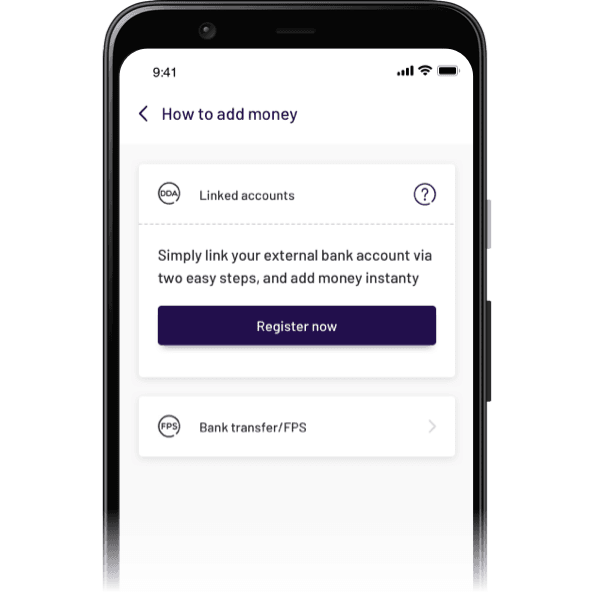
Step 1 - Click “Register now”
If you have never linked an account or currently do not have one linked, click "Register Now" on the “Top Up” page under “Transfer” in the WeLab Bank App to link your own account from another bank to deposit money.
If you want to add another bank account, click on the linked bank and select "Add new linked account" at bottom of the bank list.
Step 2 - Choose the bank
Choose the bank you want to link with.
Step 3 - Enter the account number of linked bank
The bank code has been automatically prefilled, and you only need to enter your account number from the linking bank.
Step 4 - Set the daily eDDA top up limit
The daily deposit limit is set at HKD 500,000 by default. You can change the daily limit for eDDA top up from the linked account to WeLab Bank based on your needs. Note that you will need to re-add the account if you want to change the limit in the future.
Step 5 - Successfully linked
After receiving confirmation from both banks, you can top up your account in our App!
How to set up Auto Reload?
Step 1: First, click “Top Up” on the homepage screen
Step 2: Link your external bank account by following the steps above, or select your external bank account you linked
Step 3: Enter the amount you want to reload every time
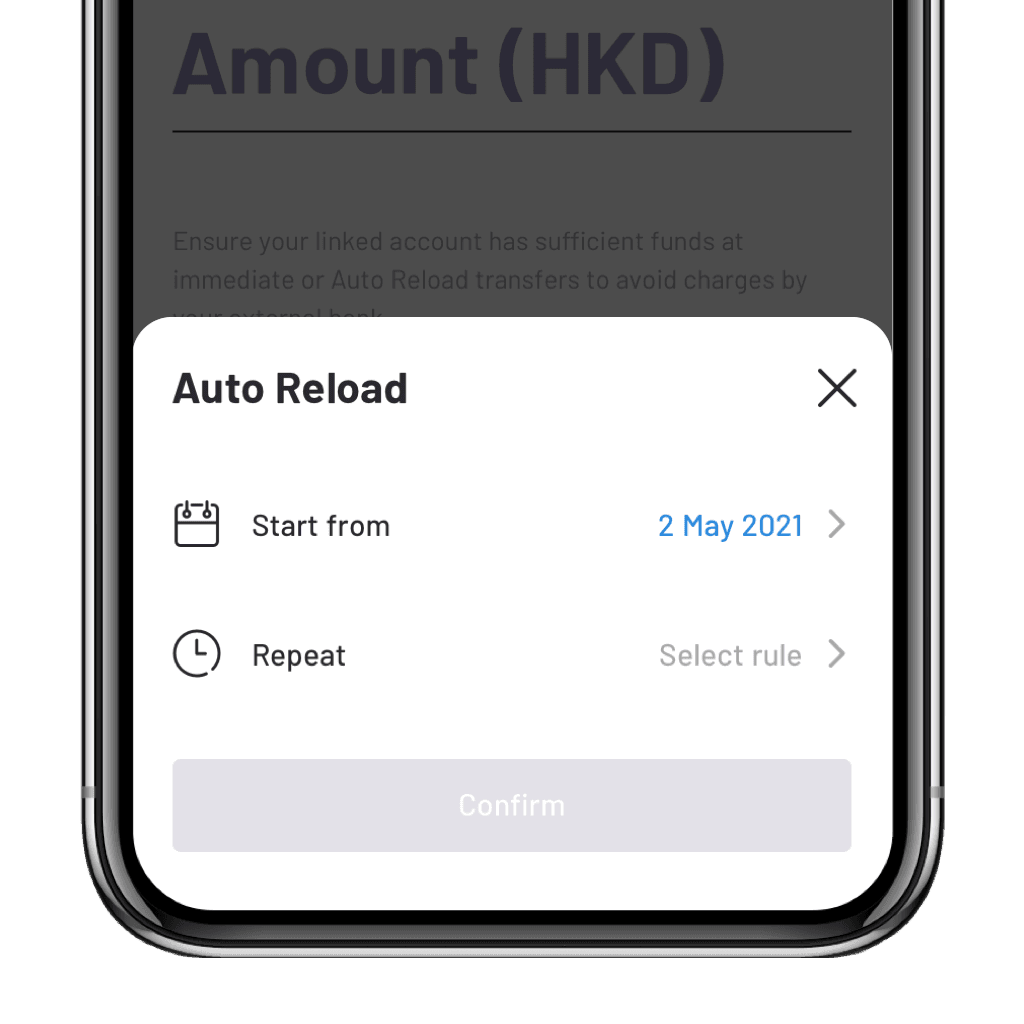
Step 4: Turn on “Auto Reload” and then select the Auto Reload start date and rule type
Step 5: Click “Confirm” to save the rule. If the rule applies to your current situation, an add-money transaction will be triggered immediately
Step 6: You may check the Auto Reload rules you set up on the “Auto Reload settings” page. To navigate, head to “Transfer” page and then click on the “Settings” icon
Get started!
Download our app and experience banking built for our century.




Want to know more? We’ve got answers!
Which banks' accounts can I link to?
You can look up the current bank list on our App’s linked account registration page.
What is the maximum amount I can add?
The maximum amount per eacheDDA Top Up may vary from bank to bank and there is no limit on the number of deposits, but there is a daily deposit limit of up to HKD 500,000 which you may configure when linking the account. This limit applies to both immediate and scheduled transfers for eDDA Top Up .
If the bank of my other accounts is not supported by WeLab Bank, or if I want to deposit a large amount of money, what can I do?
If your bank is not supported by us, you can deposit money by registering FPS with us.
If you want to deposit more than HKD 2,000, you can make multiple eDDA Top Up from the linked account. If it is a recurring transfer, consider setting up multiple Auto Reload rules to eliminate the hassle.
Are there any requirements for linking a bank account?
The account holder of your linked account must be the same as the name you register with WeLab Bank, and you can only link one bank account from each bank.
How can I make changes to existing Auto Reload rules?
You can easily make edits or delete your Auto Reload Rules by going to "Transfer” > “Settings” > “Auto Reload settings”.
When will the Auto Reload transfers be executed?
All scheduled Auto Reload transfers will be executed during early hours (typically by 8am) on the calendar days applicable from the scheduled start date. We got you covered for another new day, so you have enough to bring you through!
In case of system or FPS outage and maintenance, the scheduled transfer will be executed when services resume. You will receive our notifications when an Auto Reload transfer is submitted.
The time required for transfer depends on the payer bank’s handling.
How many Auto Reload Rules can I set up?
You can save up to 10 Auto Reload rules as you need. However, you can only set up one “When account balance is low” Rule.
Under a “When account balance is low” rule, at what account balance level will my account be topped up?
It’s up to you! You can flexibly set the account balance level that triggers a top-up, as well as how much you want to top up each time. We suggest setting an amount that is at least close to the typical size of your daily transactions.
How will I know when my account has been topped up as scheduled?
You will receive a notification for each transaction successfully submitted under your Auto Reload rule.