
How to make payments by FPS QR Code?
We strive to make your banking journey simple and convenient. Now enjoy paying your friends and family or settling bill/merchant payments at ease by simply scanning the FPS QR Code. One scan and off you go!
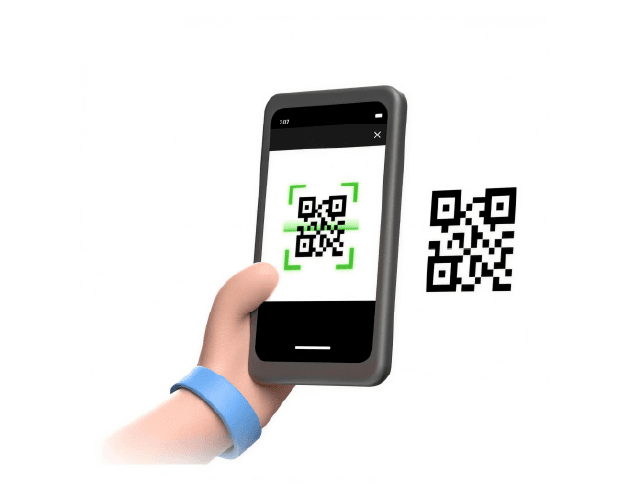

One scan to pay your bills
Forget the old days when you need to input long strings of account and bill numbers to get through, and when payment is bound by operating hours 😍
If your merchant supports payment by FPS QR Code, simply scan the code once in the WeLab Bank app, and bill details are prefilled* neatly for you. Review and click – Your bills are settled right away#! 💸
* Prefilled bill details is subject to merchant configuration
# Actual settlement time is subject to recipient bank’s handling
Settling all you bill and merchant payment needs
You can locate the merchant FPS QR Code on your physical or electronic bill notice, merchant mobile app or at checkout stage if you are making an online purchase.
Settle the following bills or merchant payments by FPS QR Code today^:
📃 Tax, Rates & Government rents
🚿 Water bills
💡 Electricity
🍳 Town gas/ LPG
🏠 Property management
📱 Telecommunications/Pay TV
☂️ Insurance
🛍️ Online shopping
🏫 Education
🏥 Healthcare
^ Subject to individual merchants accepting payment by FPS QR Code
Easy and breezy
You can also pay your friends easily by scanning their FPS QR Code instead of manually inputting FPS proxy ID and payment amount&, or generate your own one and share to your payers for receiving money. How about collecting lunch money from a big group?
&Subject to FPS QR Code configuration
How to pay bill or transfer by FPS QR Code?
Step 1: Choose payment method
Select "Transfer" from the navigation bar in the WeLab Bank app and click “QR Code”.
Step 2: Scan FPS QR Code
Scan the individual or merchant FPS QR code or import a screenshot from your phone gallery.
Step 3: Review payment details
Verify the recipient/merchant information. Review or edit the payment amount if applicable. Once everything is correct, “Slide to pay” and your payment is submitted right away.
Step 4: Pass through authentication
You will be asked to pass through additional identity authentication for payment to a merchant FPS QR Code.
Step 5: Send money successfully
You will receive a SMS or email notification for successful FPS transactions!
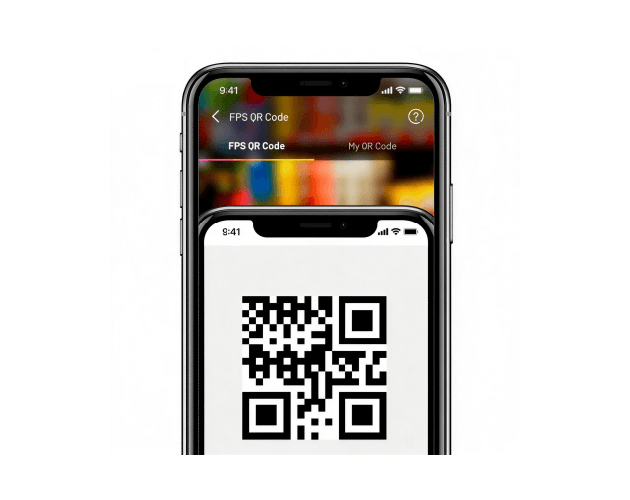
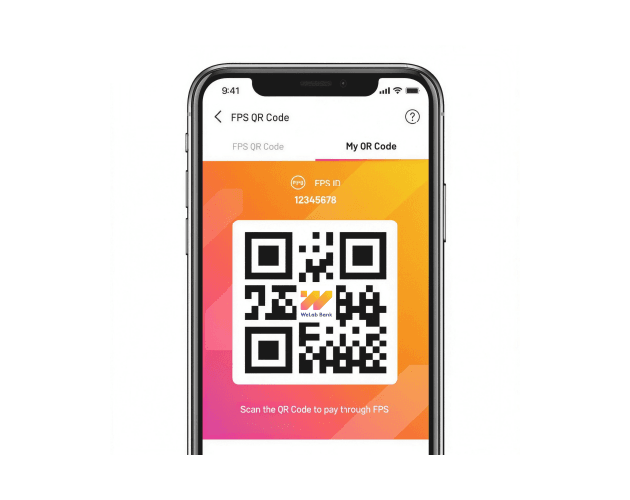
How to receive money with FPS QR Code?
Step 1: Choose transfer method
Select “Transfer” from homepage and click “QR Code”
Step 2: Generate your FPS QR Code
Select “My QR Code” and your own FPS QR Code is right here. You can select which FPS proxy ID you want to associate with the FPS QR Code if you have registered for more than one.
In case you have not registered FPS with us, you may easily register first with “Register now”, and then you can create your FPS QR code.
Step 3: Share your FPS QR Code
Share your FPS QR Code to your payer and they may scan it with their bank’s FPS QR Code scanner on mobile

Get started!
Download our app and experience banking built for our century.




Want to know more? We’ve got answers!
Which merchant is accepting FPS QR Code for payment?
Please check with your merchant directly if they accept FPS QR Code for bill payments.
Where can I locate my merchant’s FPS QR Code?
You can usually locate the FPS QR Code for payment on the bill notice or statement, which is typically available by paper, in the merchant’s app or e-bill email. If you are shopping online, you will usually locate the FPS QR Code at payment stage after you have selected FPS as the payment method.
If you have trouble finding it, you may contact the merchant for support.
Is it safe to pay with FPS QR Code?
Of course it's safe! When you scan the FPS merchant QR Code in the WeLab Bank app, we will verify your identity and transaction details through biometric authentication function or Mobile Security Key, ensuring that you are the only user of the account.
Why am I prompted with an error that the QR Code I scanned is invalid?
Please ensure you have scanned or imported a FPS QR code that is linked to a registered FPS user. You may contact the recipient or merchant for support.
Why can’t I edit the payment amount for the bill/merchant payment?
Some merchants have fixed the payment amount in the FPS QR Code, typically at specific bill amount. If you have doubt, you may contact the merchant for support.